

FREE SHIPPING
with purchases over 50 €
*Valid for consumables
Photo Printer: The Complete Buying Guide 2026
24/07/2026
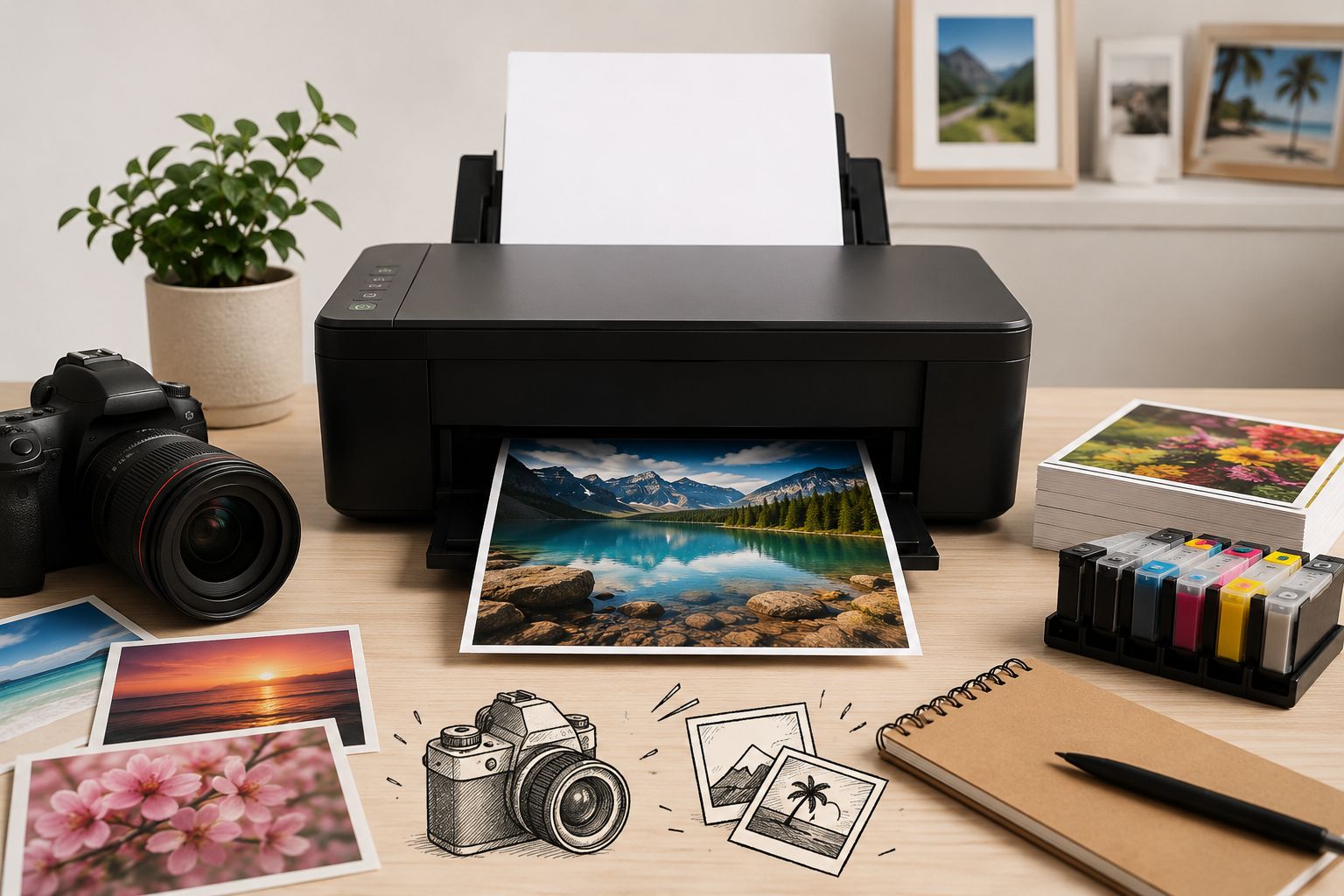
A great photograph deserves an equally great print. Whether you want to frame your memories or print samples for work, the right photo printer can make the difference between a dull copy and a print with vivid colours and detail that stands the test of time.
In this guide, you'll discover, in simple terms, what really matters when choosing a photo printer — from ink type to paper and cost per photo — so you can make your choice with confidence.
What Makes a Printer Suitable for Photos
Every printer can put an image on paper. A photo printer, however, is designed to do much more: deliver accurate colours, smooth gradients (for example, in skies or skin tones), and fine detail in shadows and highlights.
The three key factors are:
- The type and number of inks — these determine colour accuracy and colour range.
- The paper — photo paper can radically change the result compared to standard A4 paper.
- The printer's resolution and image processing — these affect how sharp and detailed the final print will be.
For the vast majority of users, inkjet technology is the natural choice for photo printing, as it delivers richer colours and smoother transitions than laser printers, which are better suited to text and documents.
Dye or Pigment Ink? The Most Important Choice
This is where the most important decision lies. Photo printer inks fall into two main categories:
Dye-Based Ink
Dye-based ink consists of colourants dissolved in a liquid. It delivers exceptionally vivid, saturated colours and bright results on glossy paper — ideal for family photos, travel memories and prints you will look at every day.
Best suited for: home use, hobbyists, everyday photos and glossy prints.
Pigment-Based Ink
Pigment ink uses tiny colour particles. It offers greater resistance to ageing, light and moisture, resulting in prints that can last for decades without fading. It is the preferred choice for archival-quality prints and professional use.
Best suited for: professionals, exhibitions, portfolios and photographs intended to be preserved for many years.
The practical rule is simple: do you want the most impressive colours here and now? Look for dye-based ink. Do you want prints that will last a lifetime? Choose pigment-based ink.
How Many Colours Do You Really Need?
Basic printers use four inks (cyan, magenta, yellow and black — CMYK). More specialised photo printers add extra inks, such as light cyan, light magenta or grey.
- 4 inks: perfectly suitable for everyday photos and mixed use (documents + photos).
- 6 or more inks: noticeably better gradients, more accurate skin tones and improved black-and-white prints — worth considering if photography is your main use.
Photo Paper & GSM — Don't Underestimate Them
Even the best printer can produce mediocre results when used with unsuitable paper. Photo paper has a special coating that helps absorb and hold the ink while bringing out the colours.
- Glossy: vivid colours and high contrast — ideal for vibrant photographs.
- Matte: elegant and free from reflections — ideal for portraits and prints intended for framing.
- Satin / Luster: the middle ground, offering rich colour with fewer reflections.
GSM indicates the paper's weight and thickness: the heavier the paper (e.g. 200–260 gsm and above), the more premium the print feels. For photographs, high-quality, heavyweight photo paper can make a significant difference to the final impression.
Resolution and Print Size
For photographic quality, aim for image files with around 300 dpi at the final print size. In practice:
- For 10×15 cm prints, even a smartphone photo is more than sufficient.
- For A4 or larger prints, you need a higher-resolution file to keep details sharp.
If you plan to print frequently in large formats or A3, it is worth taking this into account when choosing your printer.
Printing Photos from Your Smartphone & Tablet
Most photos today live on our smartphones — and thankfully, printing photos from your phone has become very easy. Modern printers support:
- AirPrint for Apple devices (iPhone/iPad), with no installation required.
- Mopria for Android devices.
- Manufacturer apps (HP, Canon, Epson, Brother) that offer additional options, such as printing directly from social media or cloud storage.
This allows you to print wirelessly, without cables and without a computer. If this is important to you, make sure the printer has Wi-Fi and supports the appropriate protocol for your device.
The Real Cost Per Photo
The price of the printer is only the beginning. What matters in the long term is the cost per photo, which depends on:
- Ink yield (how many prints each consumable can produce).
- Your choice of consumables — high-quality compatible inks can significantly reduce costs compared to original cartridges while maintaining excellent results.
- The paper you use.
One simple choice — selecting reliable, high-quality compatible consumables — can significantly reduce the cost of each photo, especially if you print frequently. At PrintKing, you can find compatible inks that combine affordability and quality, with ISO 9001 and ISO 14001 certifications as a guarantee of reliability.
Quick Guide to Choosing the Right Printer for Your Needs
- For home use & everyday photos: inkjet printer with dye-based ink, 4–6 colours and Wi-Fi for printing from your smartphone.
- For photography enthusiasts: inkjet printer with 6+ inks for better gradients, combined with high-quality photo paper.
- For professional/archival use: inkjet printer with pigment-based ink for maximum longevity, ideally with support for large print sizes.
Frequently Asked Questions
Which printer is better for photos, inkjet or laser?
Inkjet printers are almost always preferred for photos because they produce more vibrant colours and smoother gradients. Laser printers are better suited to text and high-volume document printing.
What is the difference between dye and pigment ink?
Dye-based ink produces more vibrant colours and a brighter finish, making it ideal for everyday photos. Pigment ink offers greater resistance to ageing and light, making it ideal for prints you want to preserve for many years.
Do I absolutely need photo paper?
For truly photographic-quality prints, yes. Photo paper brings out colours and detail much more effectively than standard printing paper.
Can I print photos directly from my smartphone?
Yes. With AirPrint (Apple), Mopria (Android) or the manufacturer's app, you can print wirelessly from your smartphone or tablet without using a computer.
How can I reduce the cost of photo printing?
By choosing reliable, high-quality compatible inks and the right paper, you can significantly reduce the cost per photo without sacrificing print quality.
Ready to Print Your Best Photos?
At PrintKing, you'll find printers, photo paper and high-quality compatible inks for every need — backed by the expertise of a team specialising in the printing industry. Explore our collection and choose the ideal combination for vibrant, long-lasting prints.
???? Explore our Printers and Photo Paper & Inks categories.


