

FREE SHIPPING on purchases over 50 €
*Valid for consumables
Dried Ink in an Inkjet Printer: Is There a Fix or Is It Time for Replacement?
07/05/2026
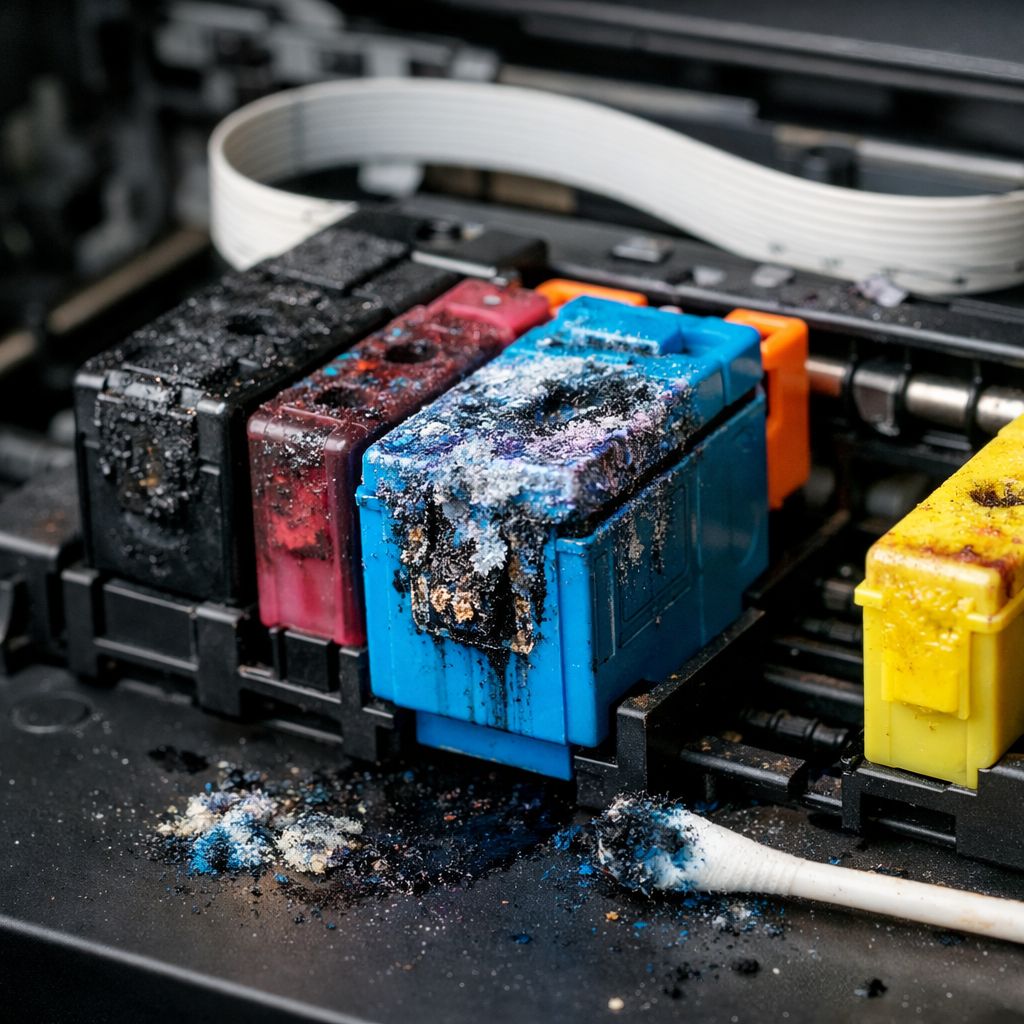
Dried ink is one of the most common problems in inkjet printers. The printer turns on, the cartridge appears full, but prints come out with gaps, streaks, or nothing at all. Many people assume the printer is broken or that the ink cartridge is unusable.
In reality, most cases can be fixed — as long as the issue is addressed properly and in time.
Let’s look at what dried ink actually means, when it can be fixed, and when it cannot.
What Does It Mean When Ink Has Dried Out?
In inkjet printers, ink passes through extremely small nozzles in the printhead. When the printer remains unused for a long period, especially in warm or dry environments, the ink inside these nozzles begins to thicken and dry.
The result is not always a complete blockage. More often, it causes missing lines, gaps, or entire colors failing to print.
When Does This Problem Usually Occur?
Dried ink typically appears when the printer is not used regularly. Even a few weeks of inactivity can be enough, especially with entry-level inkjet models.
Other contributing factors include improper ink cartridge storage, exposure to high temperatures, and frequent cartridge replacements without consistent printing.
This issue is not related to whether the ink is original or compatible. It is simply the natural behavior of liquid ink.
First Solution: Run Printhead Cleaning from the Printer Menu
The safest first step is using the built-in printhead cleaning function through the printer menu or your computer’s printer drivers.
This process forces ink through the nozzles under pressure, helping dissolve minor blockages.
In mild cases, one or two cleaning cycles are enough to fully restore print quality. However, avoid running it too often, as it consumes a noticeable amount of ink.
Print a Test Page and Evaluate
After cleaning, print a test page.
If print quality improves but is still not perfect, you can repeat the cleaning process once more. If there is no improvement at all, the blockage is likely more severe.
This step is essential for deciding whether further troubleshooting is worthwhile.
When Manual Cleaning Can Help
For more stubborn clogs, manual cleaning may help — but it requires caution.
This usually applies to removable printheads or cartridges with integrated printheads.
Using a dedicated cleaning solution or lukewarm deionized water can soften dried ink. However, this is not a universal fix and carries risks if done improperly.
If you lack experience, it is better to avoid it.
When Dried Ink Cannot Be Fixed
If a printer has remained unused for months or years, ink may have fully hardened inside the printhead.
In such cases, repeated cleaning cycles usually produce no results.
This is especially problematic in printers with permanently built-in printheads, where replacement can be expensive enough to make buying a new printer the more practical option.
Is the Ink to Blame or Printer Usage?
In most cases, usage is the issue — not the ink itself.
The same cartridge that works perfectly in a frequently used printer can dry out in the exact same model if left idle.
This is one reason inkjet printers are not ideal for very occasional printing.
How to Prevent It in the Future
Prevention is simple.
Printing one color page every one or two weeks is usually enough to keep the nozzles active. It doesn’t need to be a full document — even a small test print is sufficient.
Proper cartridge storage and avoiding excessively hot environments also significantly reduce the risk.
When to Consider Laser Instead of Inkjet
If you print only occasionally, dried ink is likely to become a recurring issue.
In such cases, a laser printer is often the more reliable option, since toner does not dry out and handles long periods of inactivity much better.
Final Thoughts
Dried ink in an inkjet printer often has a solution, especially when caught early.
Printhead cleaning resolves most mild cases, while regular use helps prevent the problem altogether.
However, if the issue is severe or recurring, persistence is not always worth it. Choosing the right type of printer for your actual printing habits is often the best long-term solution.


